
Edit PSD files the way you already work
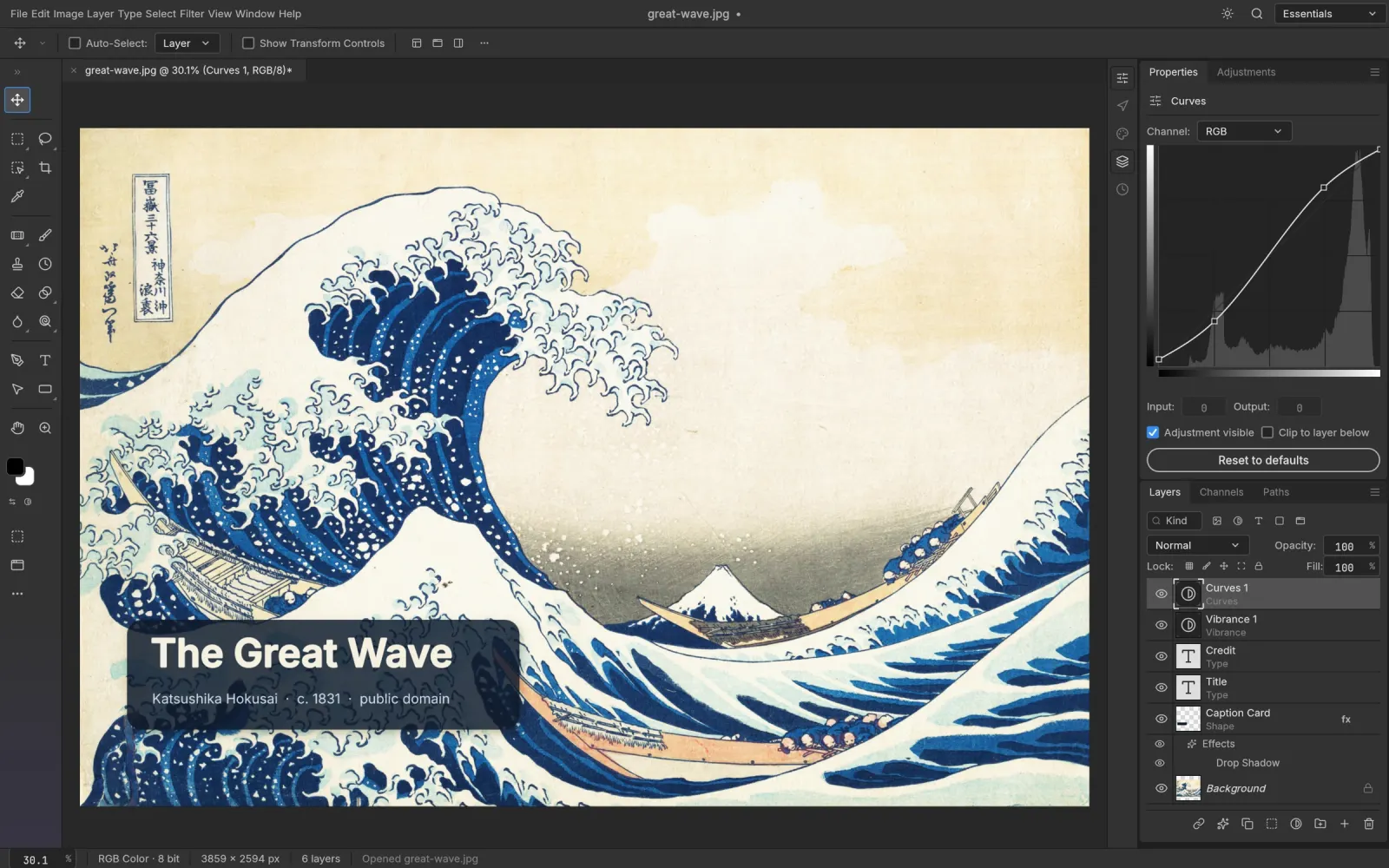
PS Online is built on PhotoCraft, an open-source editor designed to feel like Photoshop. When you open a PSD you get the document as its author built it, not a flattened preview:
- Layers and groups with blend modes, opacity and fill
- Layer masks and vector masks, editable with brushes and selections
- Adjustment layers such as Curves, Levels, Hue/Saturation, Black & White and Gradient Map, all still live
- Layer styles: Drop Shadow, Stroke, Outer Glow, Bevel & Emboss, overlays and more
- Type layers you can click into and retype
- Smart Objects and smart filters
The menus and shortcuts are where your hands expect them. Ctrl/⌘ J duplicates a layer, Ctrl/⌘ T is Free Transform, and Shift Ctrl/⌘ N makes a new layer.
How to open a PSD online
- Open the editor. It loads in a few seconds.
- Drag your .psd onto the window, or choose File › Open.
- Edit as usual. Toggle layers, tweak an adjustment, fix a typo in a headline.
- Choose File › Save to write a PSD, or File › Export › Export As for PNG, JPEG or WebP.
Large documents over 2 GB use the PSB format. PS Online opens PSB files too.
Private by design
Most "online PSD viewers" upload your file to their server. PS Online doesn't. The whole editor is a WebAssembly app running in your tab, so client work, unreleased designs and personal photos stay on your machine.
When you'd still want Photoshop
If your file depends on Photoshop-only features such as generative AI tools, or you need cloud documents and team libraries, Adobe Photoshop is still the tool for that. For opening, fixing and exporting PSDs quickly, especially on a machine without Photoshop, PS Online is usually enough. See the full comparison.