
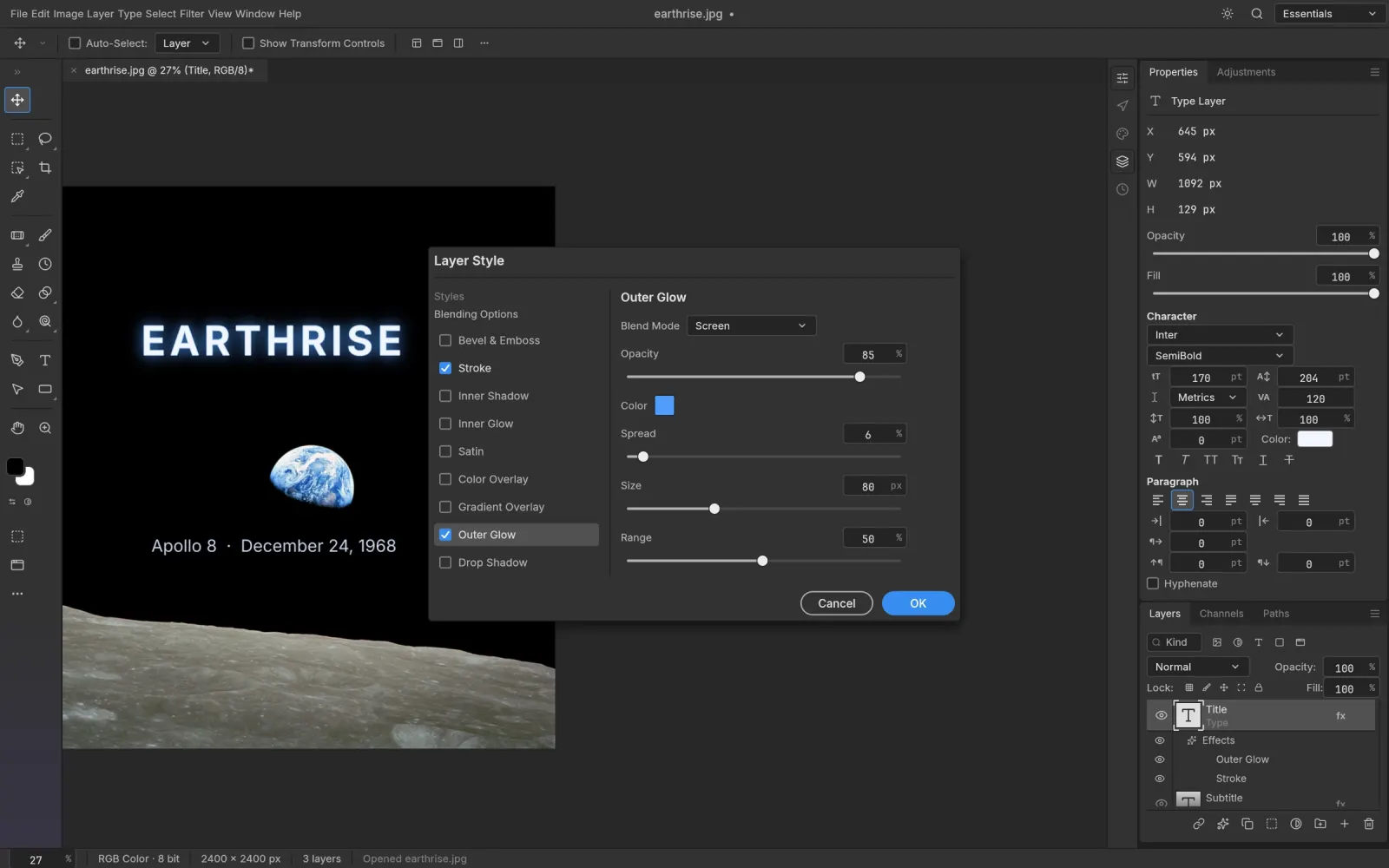
More than a PSD viewer
Many "PSD viewers" only show a flattened preview. PS Online is a full PSD editor, so you get:
- Every layer and group, with visibility toggles, blend modes and opacity
- Layer masks and vector masks
- Adjustment layers that stay live
- Layer styles such as Drop Shadow, Stroke and Bevel & Emboss
- Editable type layers: fix a typo, change a date, swap a headline
- Smart Objects and smart filters
Open a PSD in three steps
- Open the editor.
- Drag your PSD onto the page, or choose File › Open.
- Make your changes, then File › Save (PSD) or File › Export › Export As (PNG, JPEG, WebP).
Convert PSD to PNG, JPG or WebP
Need a flat image for a website, a slide or a client preview? Open the PSD and use Export As. You choose the format, quality and size; transparency is kept for PNG and WebP.
Where PSD files come from
PSD is Photoshop's native format, and you'll find it in design templates, mockups, client deliverables and stock assets. With PS Online you can work with all of those on any computer, including a Chromebook or Linux machine.